New App Features at No Extra Cost: Your Guide for iOS & Android
Our GPS vehicle tracking and fleet management app is now even easier to use.
Whether you use a GPS tracker for your car without a subscription, have a traditional subscription, or use our flexible Endless Warranty Model, the optimized interface delivers all live data directly to your smartphone.
Rely on our Europe-wide real-time 4G tracking, the perfect solution for private car tracking as well as demanding commercial use.
Get the most out of the app in four simple steps:
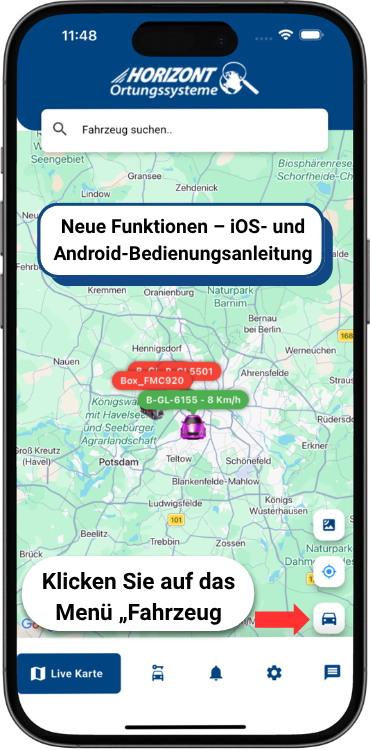
1. Launch the GPS Car Tracker App
Switch to the “Live Map” view in the app. To manage your assets, tap the “Vehicle” icon (the small car icon) in the bottom-right corner.
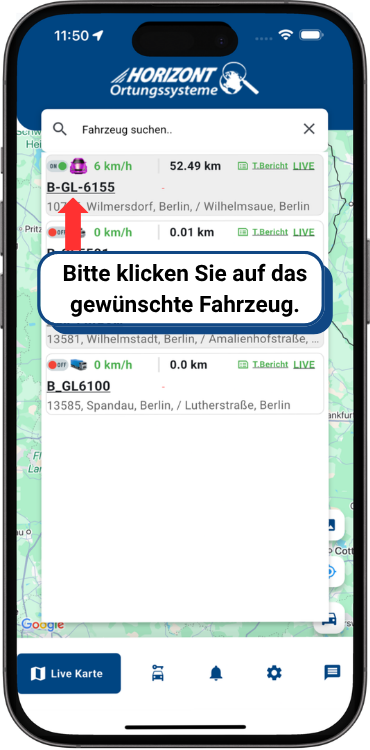
2. Select a Vehicle or Asset
You will now see an overview of all active units, including live status details such as speed and location. Select the vehicle you want to explore in more detail.
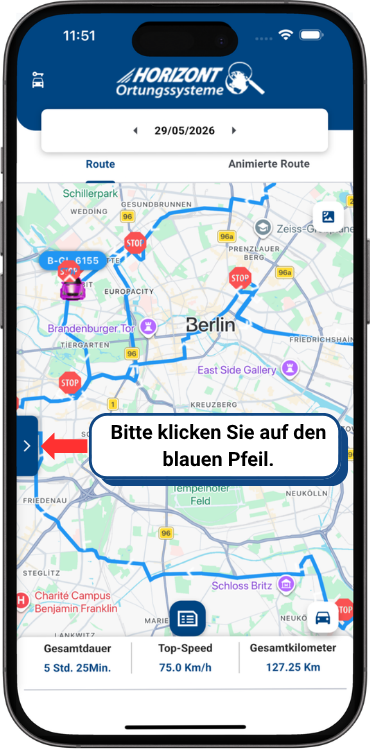
3. Activate Advanced Features (For Cars, Trucks, Construction Equipment, Agricultural Machinery & Motorhomes)
Once the vehicle has loaded on the map, its traveled route becomes visible. To open detailed analytics and tools, click the blue arrow on the left edge of the screen.
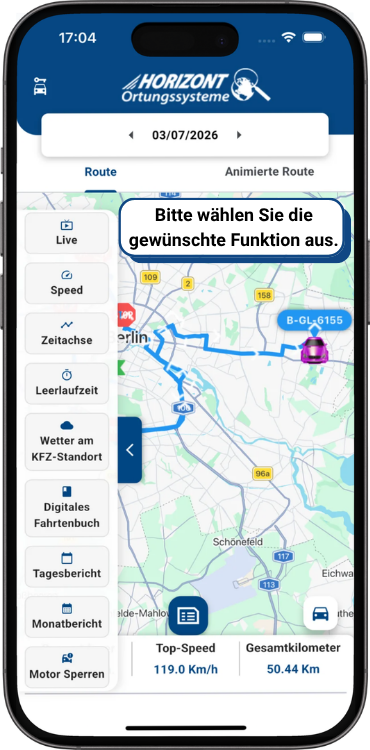
4. Choose Features & Monitor at 2-Second Intervals
The clear sidebar for professional vehicle monitoring opens. Control the flexible GPS features for trucks and cars with an extremely fast transmission rate starting at two-second intervals:
- Live Tracking: Vehicle or person locations updated to the second.
- Speed Analysis: Precise analysis of recorded driving speeds.
- Timeline & Routes: Route history with a visual, animated journey.
- Reports: Direct access to idling, daily, and monthly reports.
- Engine Immobilization: Remote theft protection and security with one click.